Unknown numbers pop up on kids' iMessage threads all the time. Sometimes they are completely harmless (coach updates, parents, wrong numbers); other times they are an opening move for scams, harassment, or social-engineering. The goal is not to scare your child into silence, but to give them repeatable rules, scripts that actually work, and a plan for when to loop you in. Joey then helps you flag and verify new contacts without reading every message.
At a glance
- Kids 9-15 regularly receive messages from numbers they do not recognise.
- Most are benign, but some are risky: strangers, scams, pressure to move platforms.
- Teach a set of golden rules and simple scripts for first contact.
- Joey highlights unknown numbers and helps you verify contacts after the next backup/analysis cycle.
Grant's take: unknown numbers and why groups make it hard to know who's who
I am a parent first, and I happen to have the tech skills to make sense of messy message data. The biggest thing I have noticed: group chats pull in lots of unknown numbers. They are not saved in your child's contacts, so it is genuinely hard to know who is who.
- Parents often don't know 50percent or more of contacts. In our testing with families I routinely hear, "Who's Billy? Who's Sienna?" And the answer is often: "Not sure."
- Identity is fuzzy in group threads. Your child might say, "That's Billy from science." My next question is, "Is it really Billy in that group thread?"
This is why we built Joey's Social Graph. It shows who your child messages most, what volume looks like, and which contacts are new or fading-so you can have a focused chat: "Who is Billy in real life?"
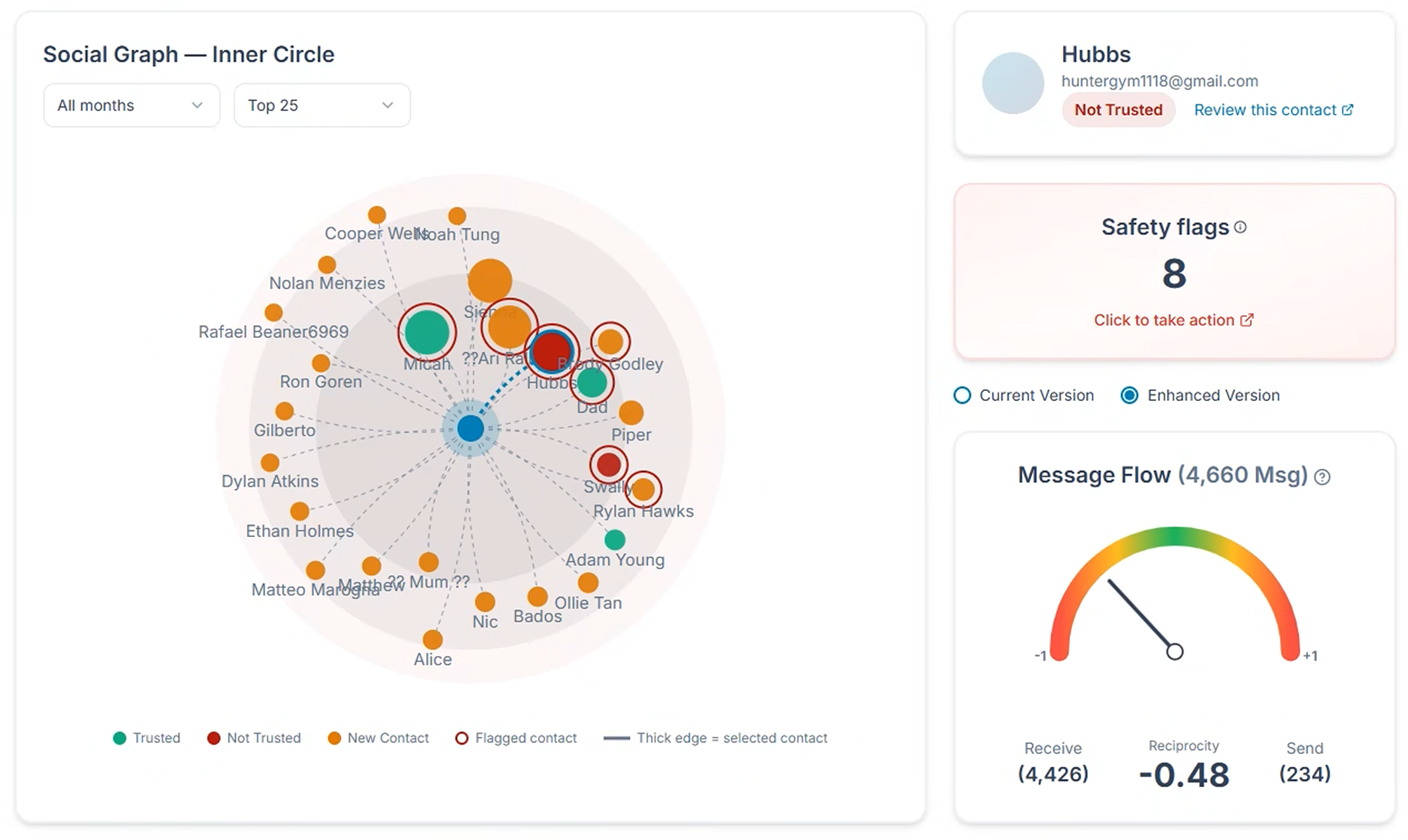 Social Graph: the people dimension of your child's digital world.
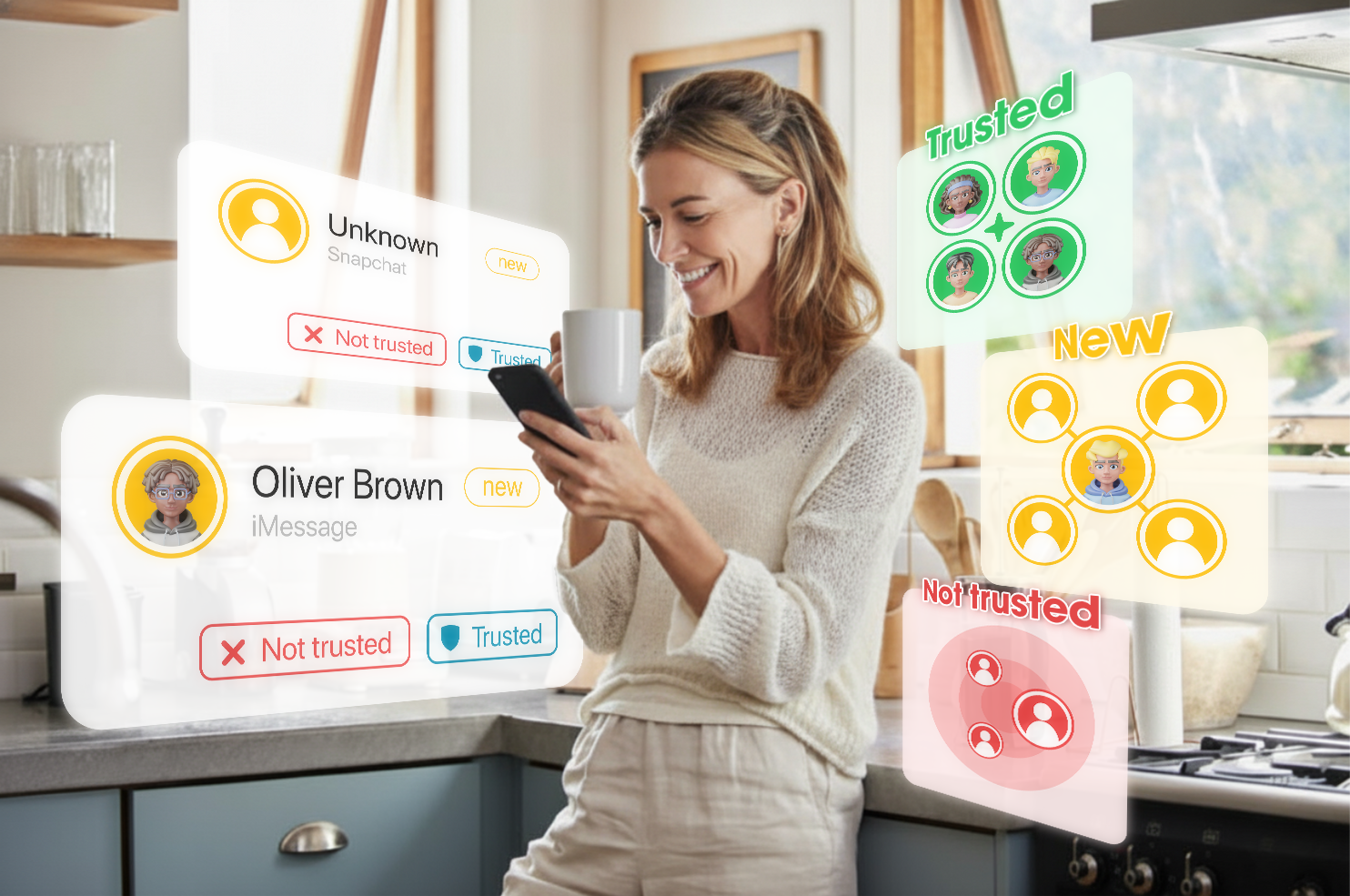
Then we added Risky Contacts (Stranger Danger). Joey highlights new or unknown contacts and gives you a simple workflow to verify them-add context (for example, "Billy H., science class, sits next to Finn"), set trust, or review flags.
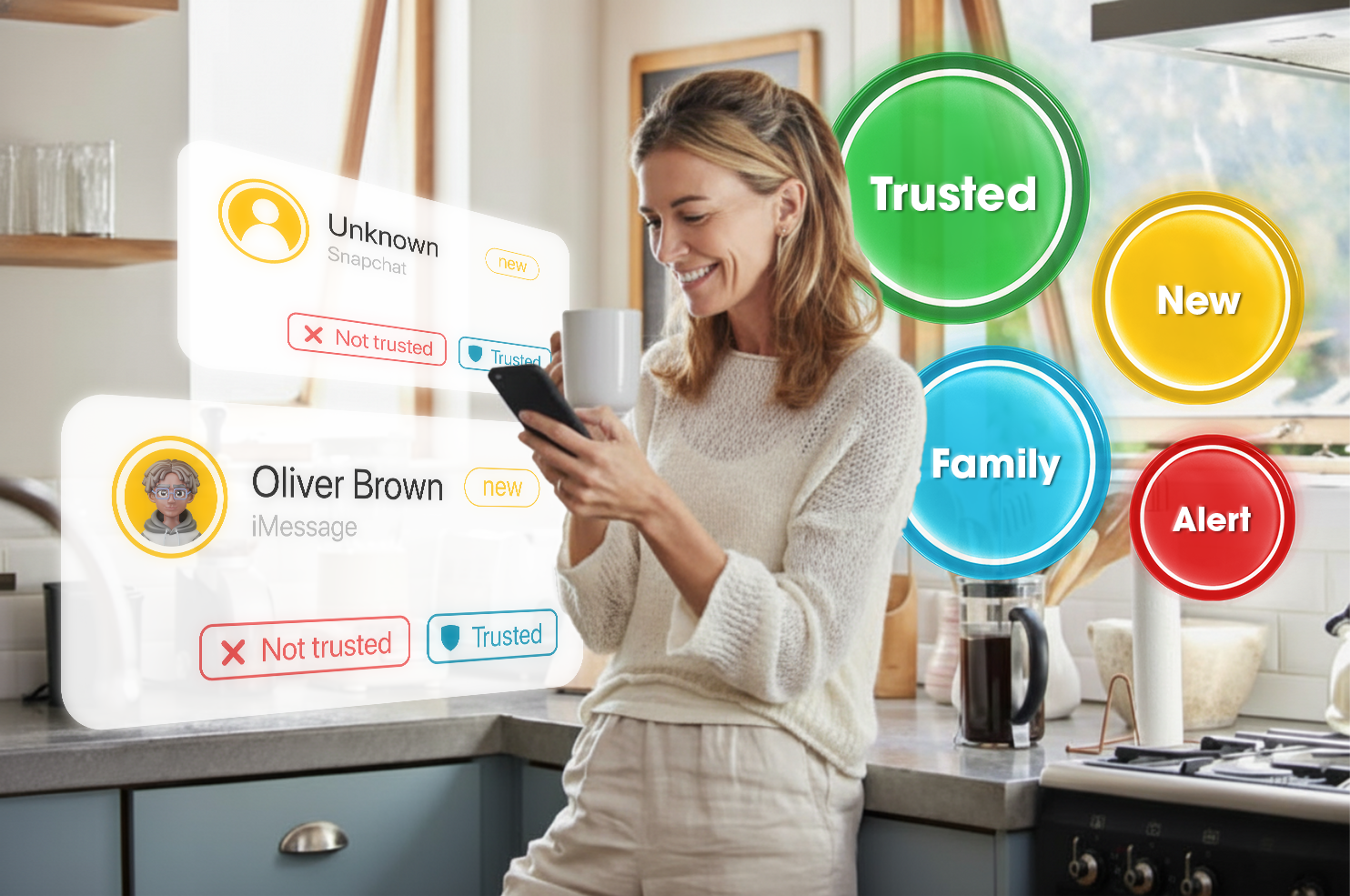 Risky Contacts: identify, label, and set trust for new or unknown contacts.
How I use it at home:
- When a new contact appears (say "Darcy"), I'll say: "I see Darcy in your messages-who is that?"
- If my child can confidently explain the real-world link, we verify and move on.
- If not, we stick to the golden rules: no personal info, pause before replying, block if unsure-and we use Joey's tools to keep an eye on safety patterns.
See also: Risky Contacts (Stranger Danger)
By the numbers
- Unwanted contact is common. Australia's eSafety national survey (n=3,454 kids aged 10-17) reports widespread negative online experiences, including unwanted contact and harassment.
- Heavy users see more risk. Pew Research (2022) found that nearly half of U.S. teens have experienced at least one cyberbullying behaviour; teens online "almost constantly" face multiple types of abuse.
- Group chats are gateways. Safety guidance notes that re-adding a child after they leave a chat can constitute harassment-one reason unknown numbers surface via teams, clubs, and friend-of-friend threads.
Why this matters: Unknown numbers are not automatically dangerous, but first contact is the decision point. The right rules and scripts reduce risk before a conversation goes sideways.
Why kids get "new friend" texts
Common benign reasons
- Logistics: new coach or team manager, a classmate's parent, car-pool changes.
- New groups: teammate shares practice details, a birthday plan, group project logistics.
- Wrong number: someone meant to text another "Ava."
Risky patterns to watch
- Strangers starting friendly: "hey it's jay from the other day " with no clear context.
- Platform hop: "Add me on Snap/IG/Discord instead?"
- Links & offers: giveaways, coupon codes, "surprise" links.
- Personal questions fast: school, age, suburb, photos.
- Persistence: continues texting after no response.
The golden rules to teach first
- Pause before replying. There is no rush.
- Share no personal info. No name, school, age, suburb, photos, or schedules.
- Check context. Ask, "Who gave you my number?" "Which team/class?"
- Tell a parent or trusted adult. Unknown contacts should be shared with you first.
- Block if unsure. It is always easier to unblock later.
Scripts kids can actually use
- Basic boundary: "Who is this? I need to check with my parents first."
- Unknown stays unknown: "Sorry, I don't chat with people I don't know."
- Platform hop request: "I only use iMessage with friends I know in real life."
- Link push: "I don't open links from unknown numbers."
- If they keep pushing: "Please stop messaging me." (Then block.)
Step-by-step coaching for parents
- Don't panic; triage together. Ask: how did they say they know you? Any mutual friend? Did they send a link? Did they ask for personal info or photos? (eSafety advises pausing, assessing, and avoiding reactive replies.)
- Cross-check context. If they claim "team," "class," or "friend," verify with the coach/teacher or a known parent first. (Independent verification before engaging is core eSafety guidance.)
- Decide the action.
- Legit new contact (coach/parent): Save with a clear label (for example, "Coach Jenna - Netball").
- Unclear: Send a boundary text, share no personal info, and pause.
- Risky: No reply -> block -> consider reporting if messages persist. (This mirrors eSafety's "don't reply, block, tell a trusted adult" playbook.)
- Capture evidence if needed. If anything crosses a line (pressure, explicit requests), screenshot before blocking. (Pew's teen cyberbullying research notes multi-type abuse is more common among heavy users-evidence helps if escalation is needed.)
- Debrief and reinforce rules. Praise your child for looping you in; revisit the golden rules. Prevention is coaching plus consistency.
How Joey helps (risky contacts + gentle alerts)
Joey surfaces safety signals. It works alongside the rules you teach at home.
- Unknown-contact flags: iMessage monitoring for parents highlights numbers that are not in your child's contacts and first-contact patterns (platform hops, "who are you?" loops, link pushes) after the next backup/analysis cycle.
- Risky Contacts: On the Risky Contacts page you can review new or risky contacts, see conversation signals, and mark trusted adults (coach, parent, teacher).
Risky Contacts: identify, label, and set trust for new or unknown contacts.
 Drill into a new contact, add notes, and decide whether to trust, mute, or block.
- Whole-child picture: The How's My Child report connects what you are seeing across new contacts, mood shifts, and conversation tone-without reading every message.
Scenarios
I want my son to think critically about new contacts. Does he really know this person IRL? Does the request sound a little bit off? Does it hurt to double check?
- Friend-of-a-friend: "I'm in your class Alice" (but your child does not actually know them). Treat as unknown until you verify.
- Coach/manager changes mid-season: When one adult hands over to another, verify through the official email or team chat first.
- "It's me, I changed phones." Ask for a confirming message on the old number or a mutual friend confirmation.
- Bait links: Anything promising discounts, skins, Roblox gift cards, assume scam.
FAQ
Should my child reply to unknown numbers at all?
Only to request context: "Who are you and who gave you my number?" Share no personal information. If unclear or pushy, do not reply and block. (Australia's eSafety guidance for unwanted contact says the same.)
How do I decide between verifying or blocking a new contact?
Try to independently confirm with a coach, teacher, or known parent. If you cannot confirm, block, and if messages continue, report. (That's eSafety's "verify or block" approach.)
What if the unknown number is in a group chat?
Treat them as unknown. If they DM your child, apply the golden rules and tell a parent. If the group re-adds your child after they leave, treat that as harassment and escalate through school or platform channels. (School safety advisories flag repeated re-adds as a bullying pattern; Pew's numbers show group contexts often bring multiple types of negative experiences.)
Optional sources
- eSafety Commissioner (2024-25), The online experiences of children in Australia.
- Pew Research Center (2022), Teens and Cyberbullying 2022.
- eSafety Commissioner, Someone is contacting me and I don't want them to / Unsafe contact and grooming.
- Townsville Catholic Education, Group Chats: The Hidden Bullying Epidemic.