How to keep your child safe on an iPhone: The Layered Approach we use in Our Family.
We use a layered approach to online safety in our family. What is a 'layered approach'? This Article goes into the different methods and tech we use to create a simple layered approach to safety where each piece of tech (app/software) is optimised for its intended purpose, and they all work well together. And importantly, most of this is low hanging fruit that is easy to implement - I bet you are using many of these elements already.
Every new iPhone release adds polish and possibility, but the open digital door can feel daunting when you are the parent responsible for keeping a tween or teen safe. The goal is not to police every element of your child's iPhone, it is to build a layered plan that pairs Apple's safeguards with proactive conversations and Joey's live insights so your child can explore confidently. And we supplement all this with other free app's to form this comprehensive layered approach. This guide walks you through the exact steps we use with families to reduce risk, encourage healthy habits, and keep trust at the centre of your relationship.
If you want a shorter step-by-step overview, start with the guide How to Secure Your Child's iPhone.
<!-- Joey Desktop addition -->Beyond Apple's built-in Screen Time settings, we run Joey Desktop on our family laptop once a week. It creates an encrypted iTunes backup without reading every message in real time, and Joey's Smart Alerts flag safety patterns we might miss.
The Layers 0. Layer 0, or Ground (rules) 0 is where it all starts. This is a set of rules your family creates about online safety, device usage, screen time, and the expectations we all have about behaviours and check-ins.
- This provides the context each child needs, so they understand why each 'ground rule' is important.
- This isn't about locking your kids down, it is the way they build trust
- Use Apple's built-in safeguards: Family Sharing feature
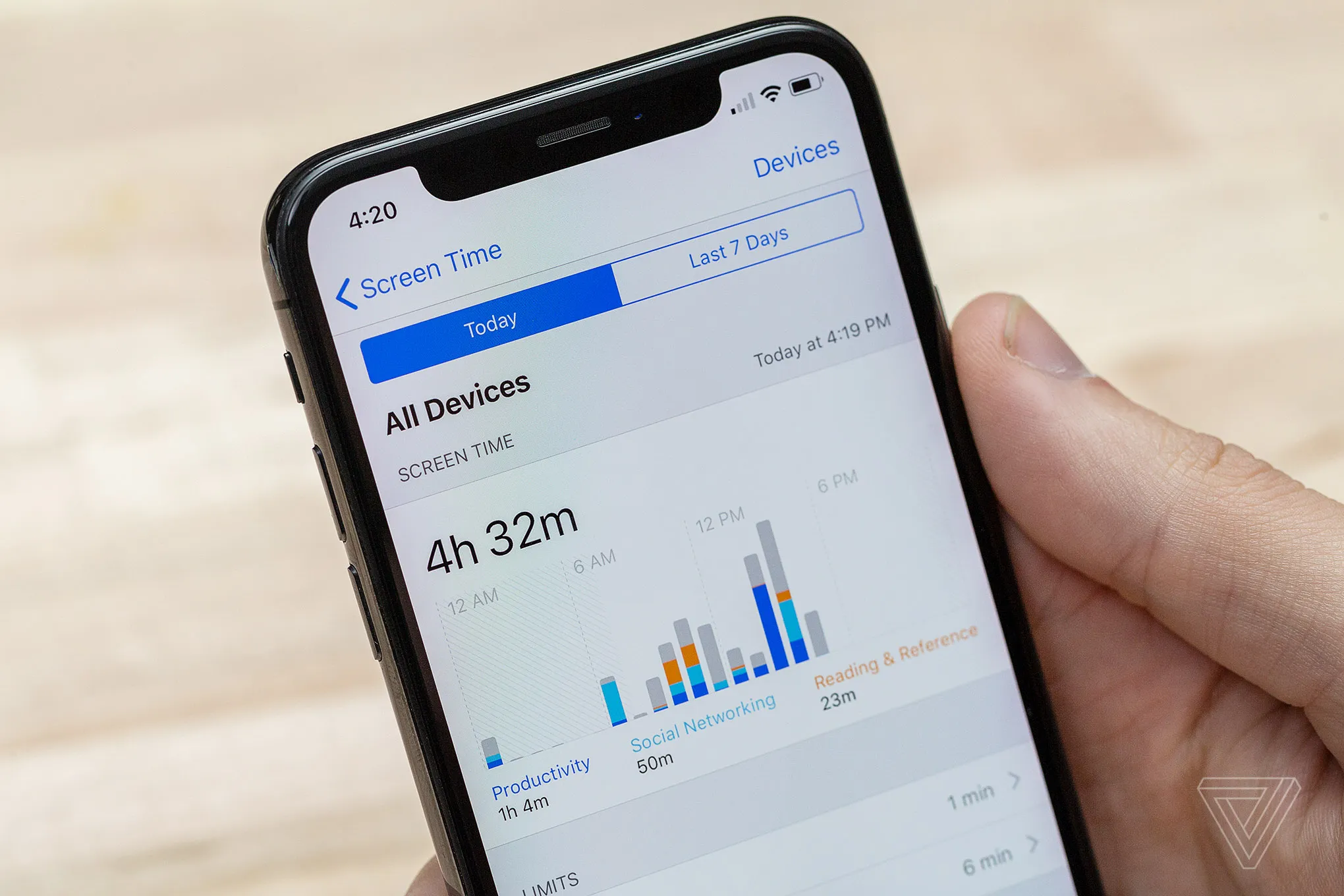
- allows parents to set up and manage parental controls for their children's Apple devices using Screen Time, Downtime, and Application limits, including enforcing children to request approval for new app's they want, and purchases
- Activate Sensitive Content Warnings and Communication Safety
- iOS 17 introduced on-device nudity detection in Messages and AirDrop
- enable it under Settings > Screen Time > Communication Safety
- Sensitive content warnings blur potentially explicit images and require your child to confirm they want to view or send them. Combine this with Apple's Message Safety prompts for unknown contacts to reduce exposure to strangers.
-
Content & Privacy Restrictions: Set age-appropriate ratings, disable explicit music, and block web content categories you do not want them to access.
-
Location tracking
- Apple's Find Devices is really only good if misplace your Apple device
- We use Life360 for keeping the whole family updated on our location. This might surprise you, but your kids want to know where you are too. This app works really well, and is free.
- Social media and messaging alerts Apple's toolkit is a critical starting point, but grooming, bullying, and mental health concerns often emerge in subtle language cues that automated filters miss. Joey fills that gap with AI that watches for changes in sentiment, risky keywords, and suspicious contact patterns without you combing through every conversation.
Joey's AI listens for patterns that require action. Inside the app, enable the following Smart Alerts to extend Apple's guardrails:
- Predator & grooming detection: Flags language that mirrors the five grooming stages so you can intervene early.
- Bullying sentiment: Highlights repeated insults or exclusion, even when words seem mild.
- Mental wellness: Surfaces sudden drops in mood, references to self-harm, or isolation cues.
- Contact verification: Cross-checks new numbers against Joey's trust graph and prompts you to verify unknown adults.
Each alert card links directly to resources inside the Smart Alerts feature page so you understand what triggered the flag and what to do next.
Review the Joey Social Graph each week
Open Insights > Social Graph to see who your child speaks with most frequently. Joey clusters contacts into trusted peers, rising connections, and people that may need review. Use the weekly summary to start calm check-ins: "I noticed you've been messaging Jamie a lot this week. Anything new happening there?" When conversations stay open, your child is more likely to tell you about uncomfortable situations before they escalate.
Monitor messaging without eroding trust
Safety and privacy can coexist. Your child still needs space to grow. The balance comes from being explicit about what you monitor, why you do it, and how Joey helps you focus on true risks instead of micromanaging every message.
Draft a digital safety agreement together
Sit down with your child and co-create a written agreement that covers:
- Which apps are allowed and why
- Time-of-day expectations and downtime windows
- How Joey monitors for red flags
- What happens if an alert fires (e.g., you review together, contact another parent, or escalate)
- A promise from you to respect their private conversations unless there is a safety concern
Sign it together and revisit it every few months. The agreement becomes a living document rather than a one-time lecture.
Use Joey summaries to coach, not confront
When Joey surfaces a Smart Alert, review it calmly before reacting. Ask curious questions such as "What was going on in this chat?" or "How did this message make you feel?" Focus on the impact rather than the rule that was broken. If the alert points to a misunderstanding, celebrate that your child brought it to you before anything escalated.
Combine transparency with optional check-ins
Some families set a monthly "open phone" session where the child chooses what to show. Joey's analytics can guide the conversation: pick one positive metric (e.g., encouraging feedback from friends) and one area to improve (e.g., late-night activity). Reinforce that the technology exists to support their independence, not to spy.
Teach kids to self-manage risk
Technology alone cannot deliver safety. Empowering your child to recognise red flags and ask for help is what keeps them secure when they are away from home.
Coach them on red-flag scenarios
Role-play how they should respond if:
- A new contact asks for personal details or photos
- A friend pressures them to hide a conversation
- Someone suggests meeting up without parents
- They feel uncomfortable but are not sure why
Make it clear they will never be in trouble for telling you about a risky chat. Reinforce that Joey is there to back them up if they freeze in the moment.
Share real-world resources
Point them to youth-friendly education hubs like the Australian eSafety Commissioner or the National Society for the Prevention of Cruelty to Children. Reading real stories helps them connect the dots between classroom lessons and their own messaging life.
Encourage healthy digital habits
Pair safety coaching with positive guidance:
- Model device-free meals and transitions so they see you unplug too.
- Celebrate creative uses of technology like photography, coding, or editing videos.
- Encourage them to balance group chats with in-person hangouts to reduce drama.
- Teach them to use Focus modes during homework to eliminate distractions.
Joey's How's My Child report highlights sentiment trends you can share in these conversations so they see the payoff of good digital habits.
Stay current with Joey insights and ongoing maintenance
Child safety is not a "set it and forget it" project. Build maintenance into your family rhythms so you always know how the system is performing.
Schedule monthly system reviews
On the first weekend of each month, run through this quick checklist:
- Update iOS and Joey to the latest versions.
- Review Screen Time limits to ensure they still reflect school, sport, and social commitments.
- Scan Joey's Insights tab for new contacts, sentiment shifts, or unusual spikes in activity.
- Archive old alerts after you resolve them so the dashboard stays clean.
- Back up important evidence (screenshots, transcripts) if you are managing an ongoing issue.
Extend protection beyond the iPhone
If your child also uses gaming consoles, Chromebooks, or Android phones, replicate the same layered approach:
- Enable Xbox, PlayStation, or Nintendo parental controls and connect them to Joey if messaging happens there.
- Configure home router filtering (e.g., using Eero Secure or Circle) to block malicious domains before they reach any device.
- Use Joey's multi-device dashboard to keep everything in one place.
Even if the iPhone is their primary device, predators often move conversations to other apps. Keeping a unified view closes that gap.
Partner with schools and other caregivers
Share your digital agreement with grandparents, babysitters, and co-parents so everyone enforces the same guardrails. Offer to brief school counsellors about Joey alerts if a pattern involves classmates. When the caring adults around your child collaborate, they receive consistent messages and feel supported, not monitored.
Frequently asked questions
<!-- Joey Desktop addition -->Can I monitor iMessage without reading every text?
Yes. Joey Desktop syncs your child's iPhone through Apple's backup process and Joey summarises safety signals (bullying, risky contacts, oversharing) so you can talk without snooping.
What is the right age for an iPhone?
Look at maturity instead of a specific birthday. The American Academy of Pediatrics recommends delaying smartphones until a child can follow family rules consistently. Many families start with a shared device before gifting a personal phone.
How do Joey alerts differ from Apple notifications?
Apple alerts focus on device usage-time limits, unknown contacts, and purchase approvals. Joey Smart Alerts combine sentiment analysis, trust scoring, and contextual coaching so you know why a conversation was risky and what to do next.
Should I tell my child when an alert fires?
Always. Transparency keeps trust intact. Explain what the alert detected and invite them to share their perspective. The conversation is as important as the technology.
What if my child disables Screen Time or Joey?
Set a passcode for Screen Time that only you know. Joey notifies you if the monitoring profile is removed, and you can re-pair the device in minutes. Use any tampering as a chance to revisit the digital agreement and the reasons behind it.
Keep the conversation going
Keeping your child safe on an iPhone is an ongoing partnership. Apple delivers sturdy guardrails, Joey fills the insight gaps, and your family values guide the conversations in between. Schedule monthly reviews, stay curious about how they use their phone, and lean on Joey's Get Started checklist if you need a refresher. With layered protection and open dialogue, your child can thrive online while you enjoy peace of mind.