Bark sent me plenty of alerts.
The problem was not a lack of volume. The problem was that many of the alerts were wrong, repetitive, or so stripped of context that they gave me more work instead of helping me protect my son.
I tested Bark for more than a year with my son's iPhone. We used Apple Family for parental controls and Life360 for location. Bark had one job in our setup: help me understand message and online activity risk.
When Bark managed to scan the phone, the alert quality often made that job harder.
This article shows real examples from my Bark account, the settings Bark presents as a way to reduce unwanted alerts, and what happened when I contacted support about the noisiest false alert I received.
Full disclosure: I am the founder of Joey Family. I started testing Bark as a parent because I wanted it to work for my own family. You can read the broader setup and connection history in my full Bark.us review for iPhone.
First, sometimes Bark was not analyzing the phone at all
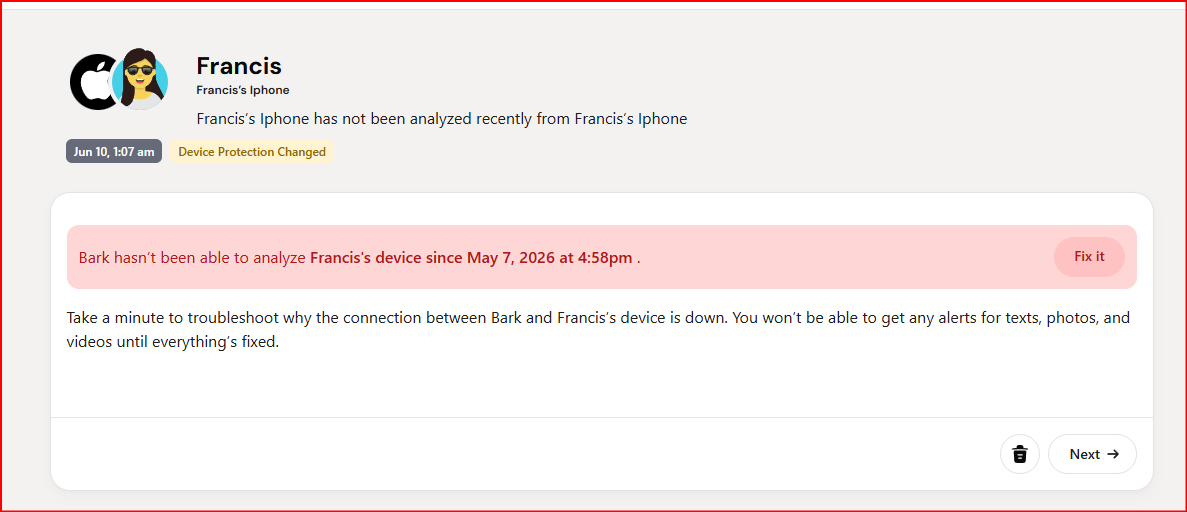
In this example, Bark says it had not been able to analyze the device since May 7. Until the connection was fixed, Bark could not provide alerts for texts, photos, or videos.
This is not a false positive, but it matters to the alert story.
Bark gave me two bad states. Sometimes the phone was not being analyzed, so there was no current data to alert on. When the phone did scan, I often had to work through alerts that were wrong or practically useless.
A quiet dashboard is not reassuring if the monitoring product has no current data.
Example 1: ordinary group-chat members became critical risky contacts
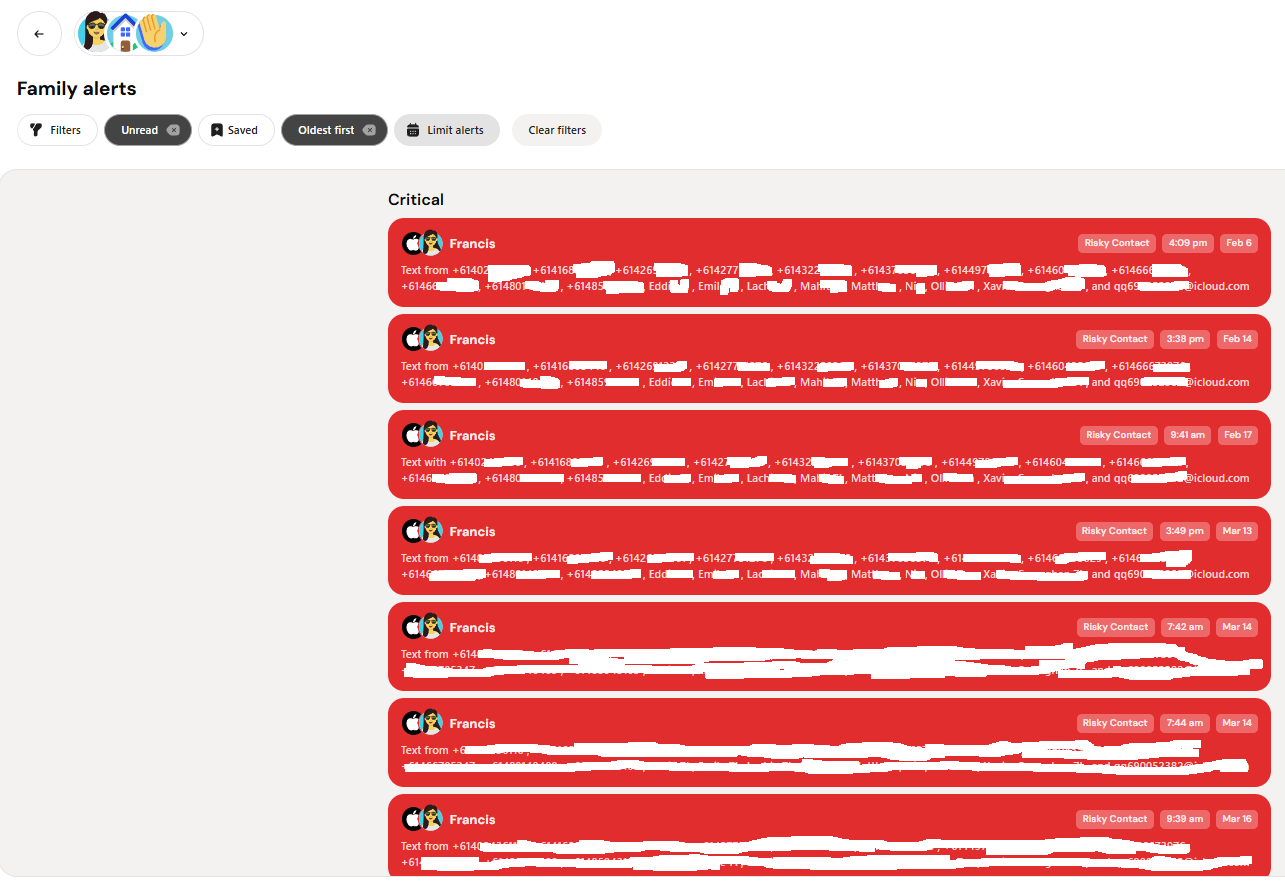
Bark repeatedly flagged numbers in a group chat as risky contacts when those people were not saved in my son's iPhone contacts.
This was the highest-volume bad alert I received.
If somebody in a group chat was not listed in my son's iPhone contact book, Bark treated that person as a risky contact. In an active group chat, that could mean alert after alert about ordinary participants.
The problem was not that Bark had identified suspicious behavior. The apparent trigger was simply that the number was not saved as a contact.
Bark also marked these alerts as critical.
That left me opening repeated alerts, checking the same group-chat context, and confirming that nothing dangerous had happened. There was no apparent learning from one alert to the next and no useful way to tell Bark that the group itself was known.
Example 2: a basketball conversation was flagged as violence
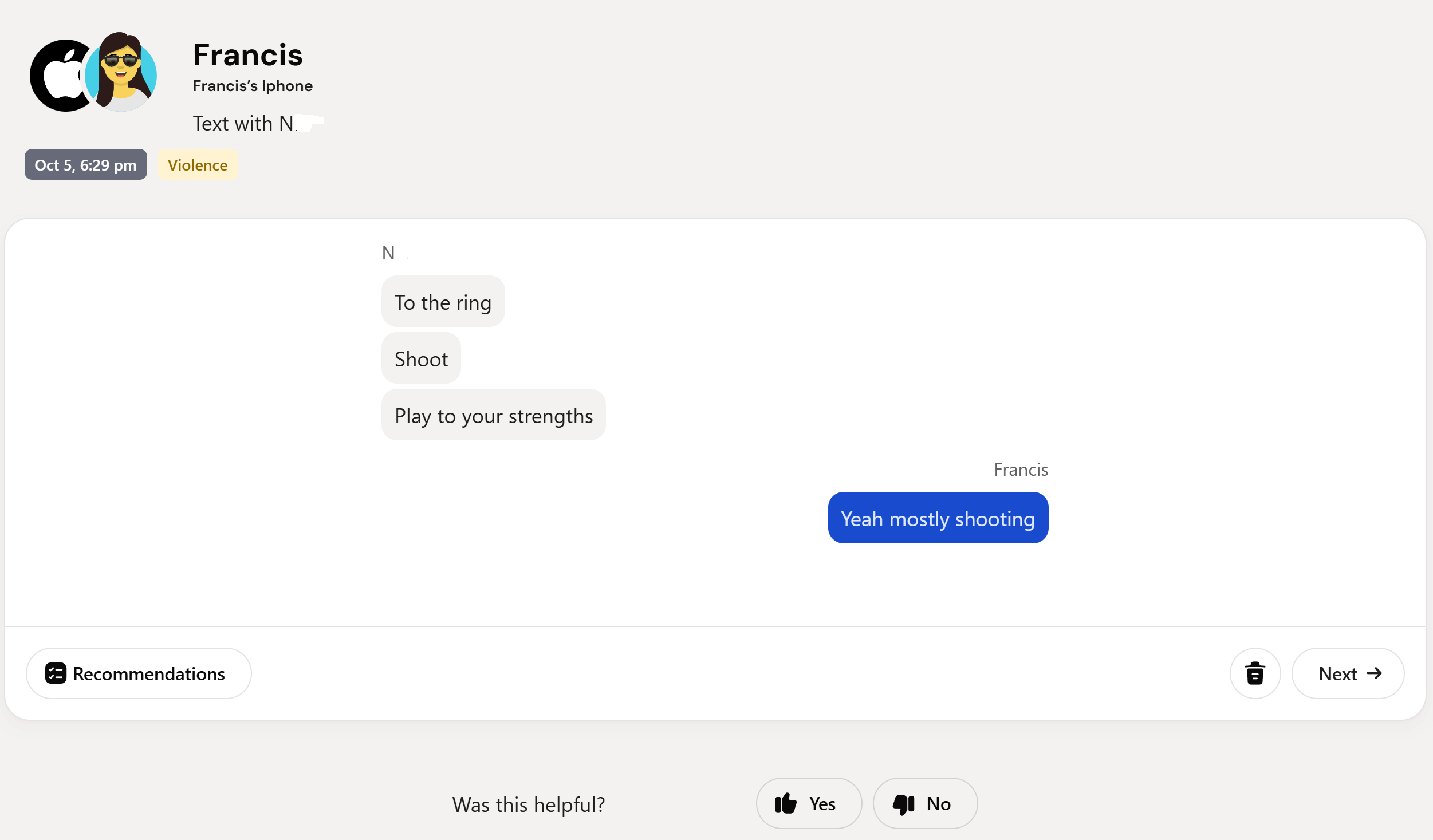
This conversation was about basketball. Bark classified it as Violence.
This is a simple example of why context matters.
Kids talk about sport using words that can sound intense when they are isolated from the conversation. They talk about shots, defence, contact, injuries, wins, losses, and physical play.
A useful safety alert needs to distinguish ordinary sport language from a real threat or violent situation.
This alert did not help me understand risk. It gave me a serious category label and left me to determine that the underlying conversation was harmless.
Example 3: a normal child conversation was flagged as bullying
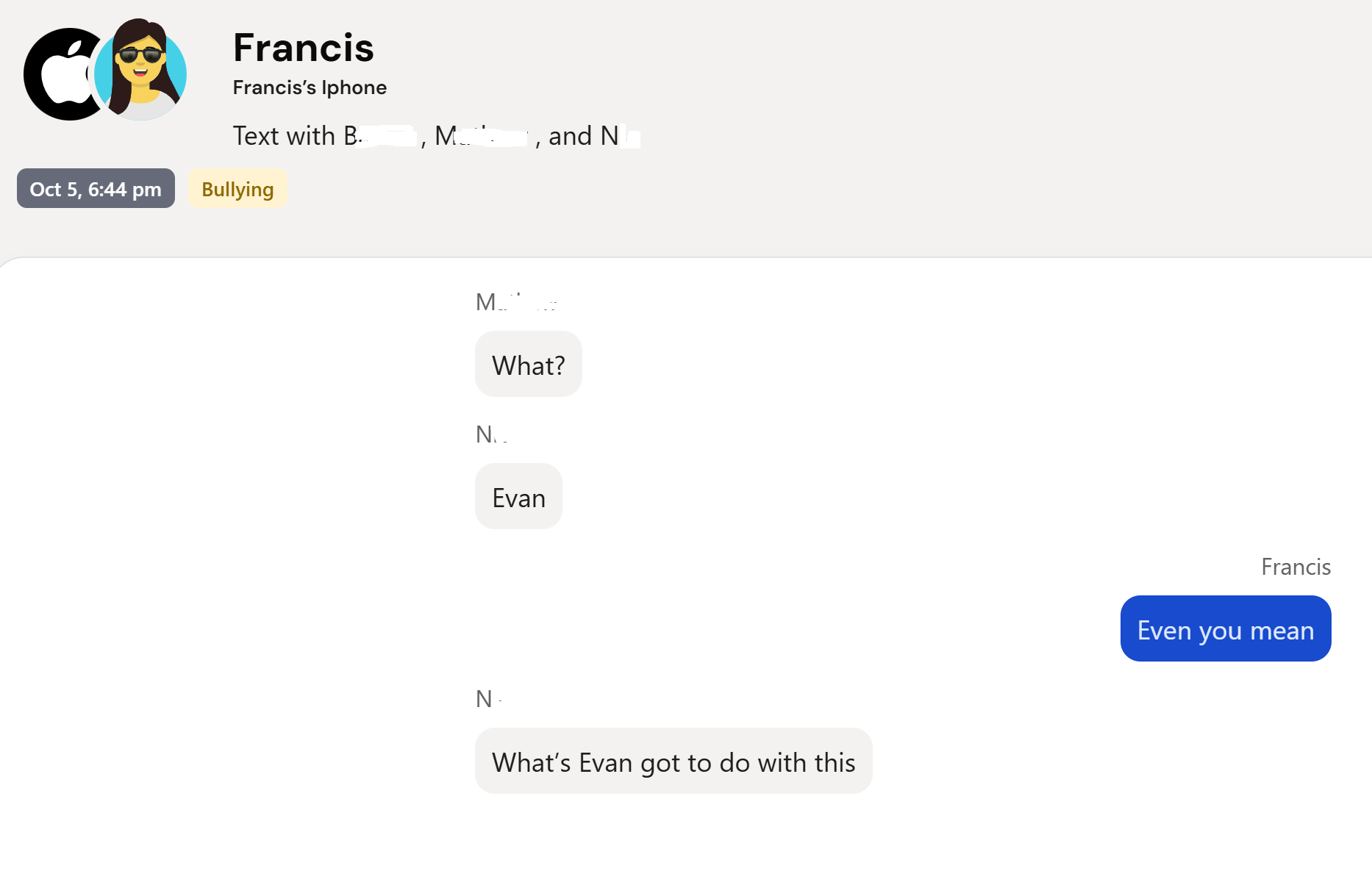
Bark pulled a normal child conversation into a serious bullying category without enough context to make the alert useful.
Bullying is not one word. It is often a pattern of repetition, targeting, exclusion, humiliation, pile-ons, or escalation over time.
An isolated message can look rude, playful, sarcastic, or serious depending on what came before it, who is involved, and whether the behavior keeps happening.
A label such as Bullying is only useful if the alert helps a parent understand that wider pattern. Otherwise, the parent still has to conduct the investigation the product was supposed to simplify.
Example 4: a coaching chat was labelled drug/alcohol-related and medically concerning
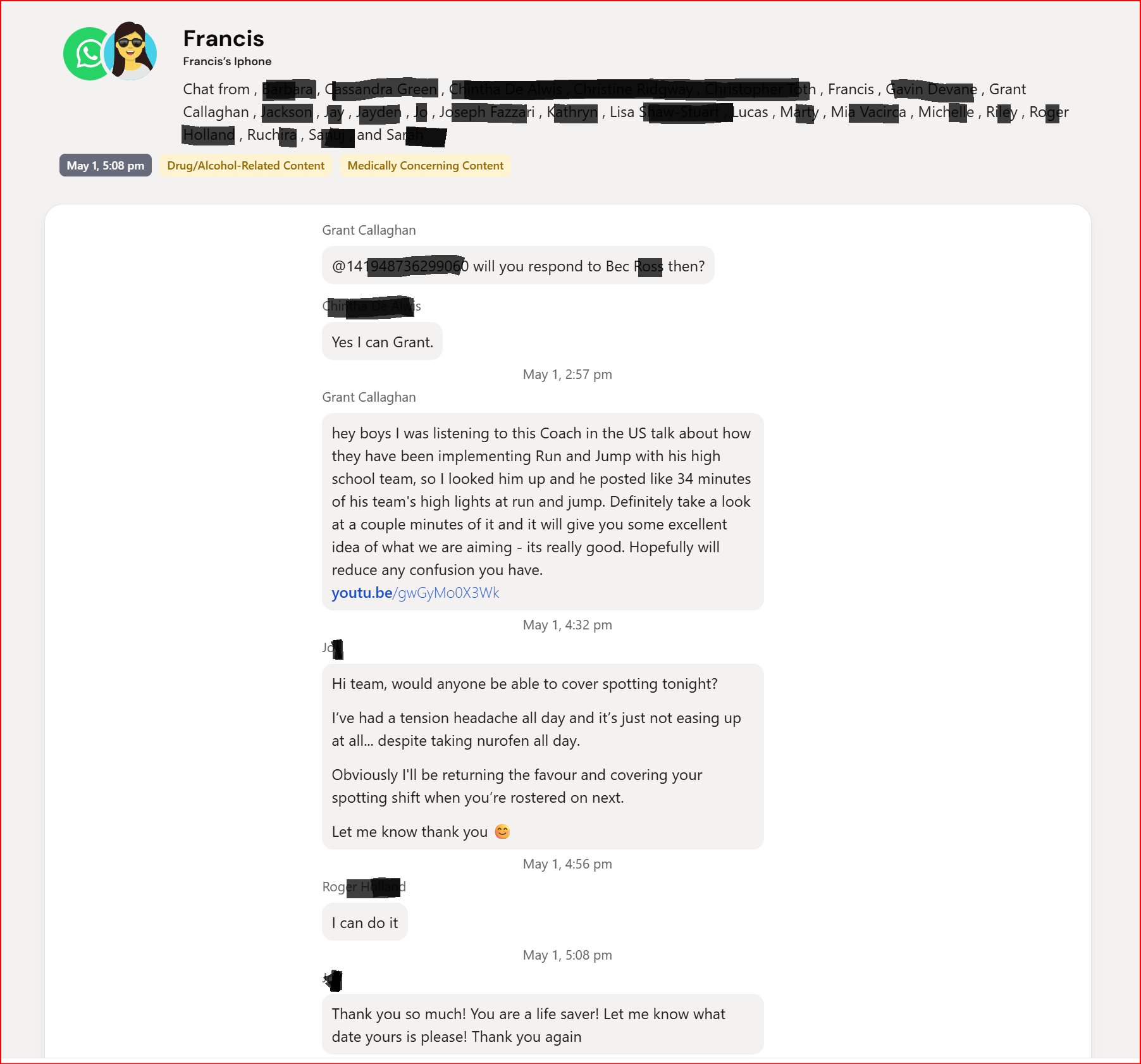
The visible conversation is about basketball coaching, covering a spotting shift, a headache, and taking Nurofen. Bark labelled it Drug/Alcohol-Related Content and Medically Concerning Content.
The only visible medical reference is a person saying they had a tension headache and had taken Nurofen.
Yes, Nurofen is medication. That does not make this a useful drug or alcohol safety alert.
This is the difference between finding a word associated with a category and understanding whether a child is at risk.
The alert used serious labels for an ordinary adult/team conversation. I still had to read the thread and work out that there was nothing meaningful for me to act on.
Example 5: a routine sports injury became a medical alert
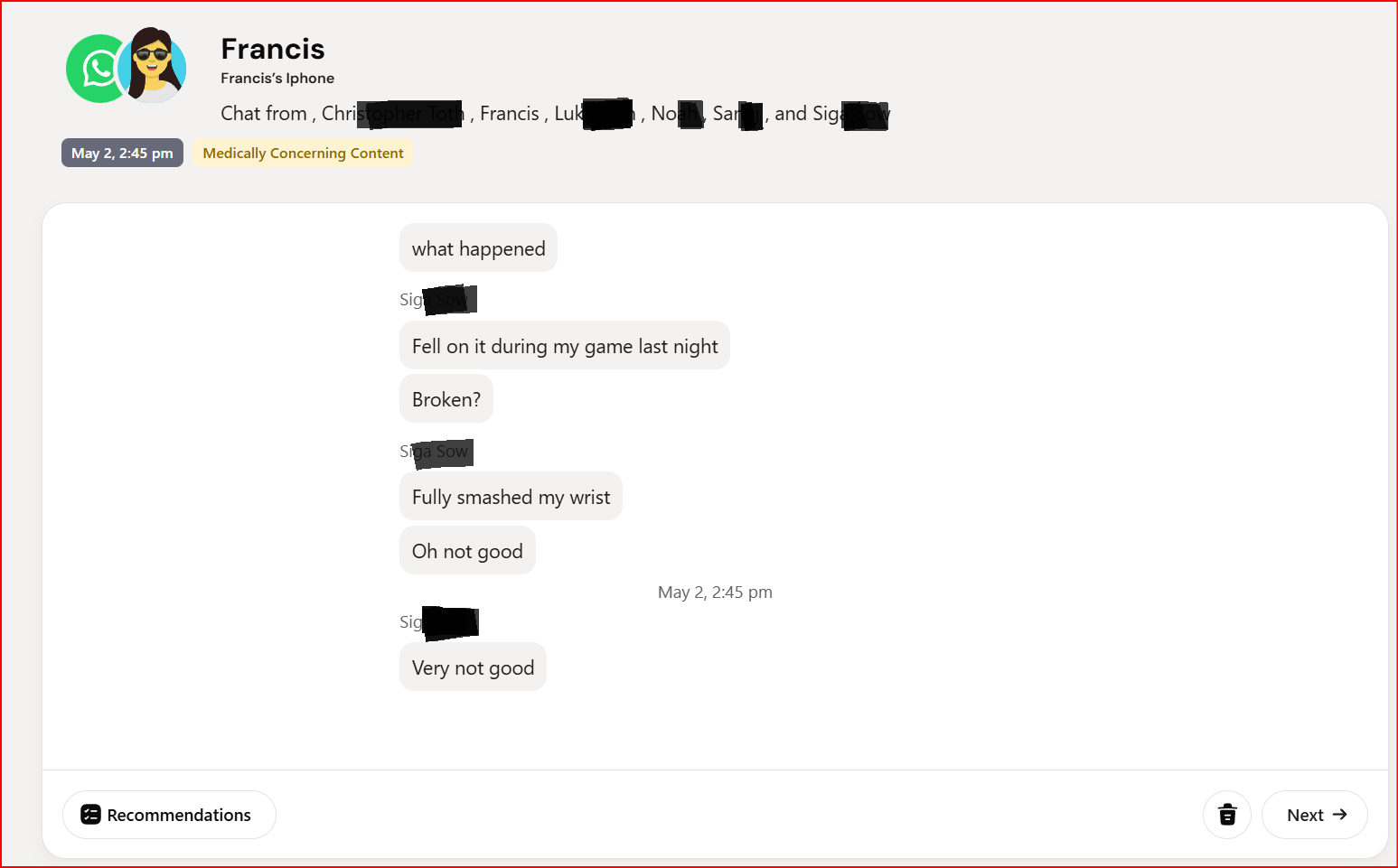
A child said they fell during a game and hurt their wrist. Bark classified the exchange as Medically Concerning Content.
This example is not as absurd as some of the others. The conversation does mention an injury.
But it shows the difference between category detection and useful parental insight.
The alert does not tell me whether the injury is hidden from adults, whether the child needs urgent help, whether the conversation is escalating, or whether this is part of a self-harm pattern. It simply identifies that an injury was discussed.
That may be technically related to the category, but it is still low-value as a child-safety alert.
Example 6: a Microsoft Family Safety report was flagged as sexual content

Bark labelled an email from Microsoft Family Safety as Sexual Content.
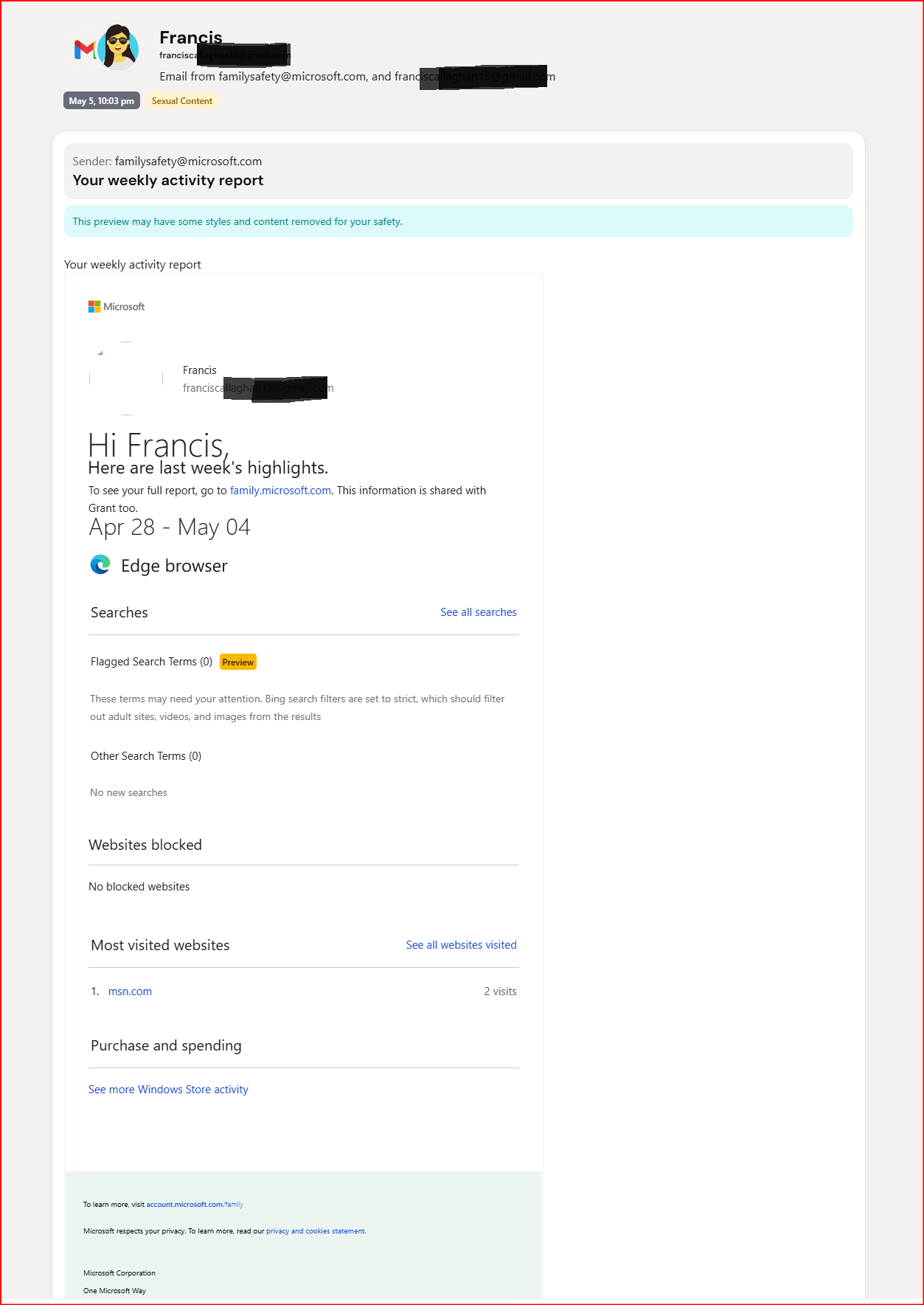
The email was a weekly Microsoft Family Safety activity report. In the visible content, there was no sexual material.
This was the clearest example of an alert that simply made no sense.
The email came from Microsoft Family Safety and contained a weekly activity report with sections for searches, websites, browser activity, and spending.
Bark labelled it Sexual Content.
The parent workflow is predictable: open the alert, inspect the email, realize the category is wrong, and dismiss it.
Every time that happens, Bark consumes attention without adding safety.
The problem is not one mistake. It is alert fatigue
Every monitoring product will make mistakes. One incorrect alert would not be enough for me to dismiss a product.
The problem was the pattern:
- ordinary group-chat participants repeatedly labelled as critical risky contacts
- basketball conversation labelled as violence
- normal conversation pulled into a bullying category
- a coaching chat labelled as drug/alcohol-related and medically concerning
- a routine sports injury turned into a medical alert
- a Microsoft Family Safety report labelled as sexual content
The more often a system is wrong, the less seriously parents take the next notification.
That is alert fatigue.
For a child-safety product, alert fatigue is not a minor user-experience issue. It weakens the value of every future alert, including the one that might matter.
Bark calls these sensitivity settings. They are not meaningful sensitivity controls
Bark knows parents want fewer alerts.
Its settings screen includes a card titled Want fewer alerts? Underneath, Bark says parents can change how sensitive its scanning is so they only receive the alerts they need.
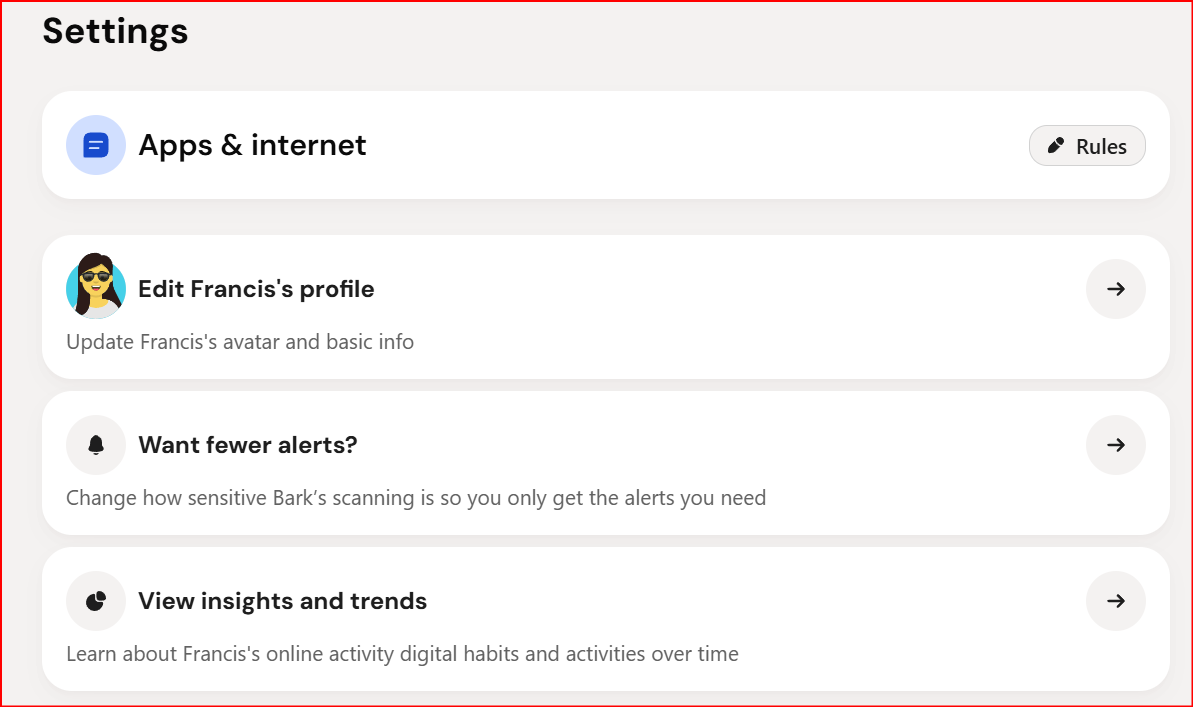
Bark presents its sensitivity screen as the answer for parents who want fewer alerts.
That sounds reasonable until you open the controls.
The next page is called Content sensitivity, but Bark's description says it lets parents set content severity levels for Bark to monitor and report.
Sensitivity and severity are not the same thing.
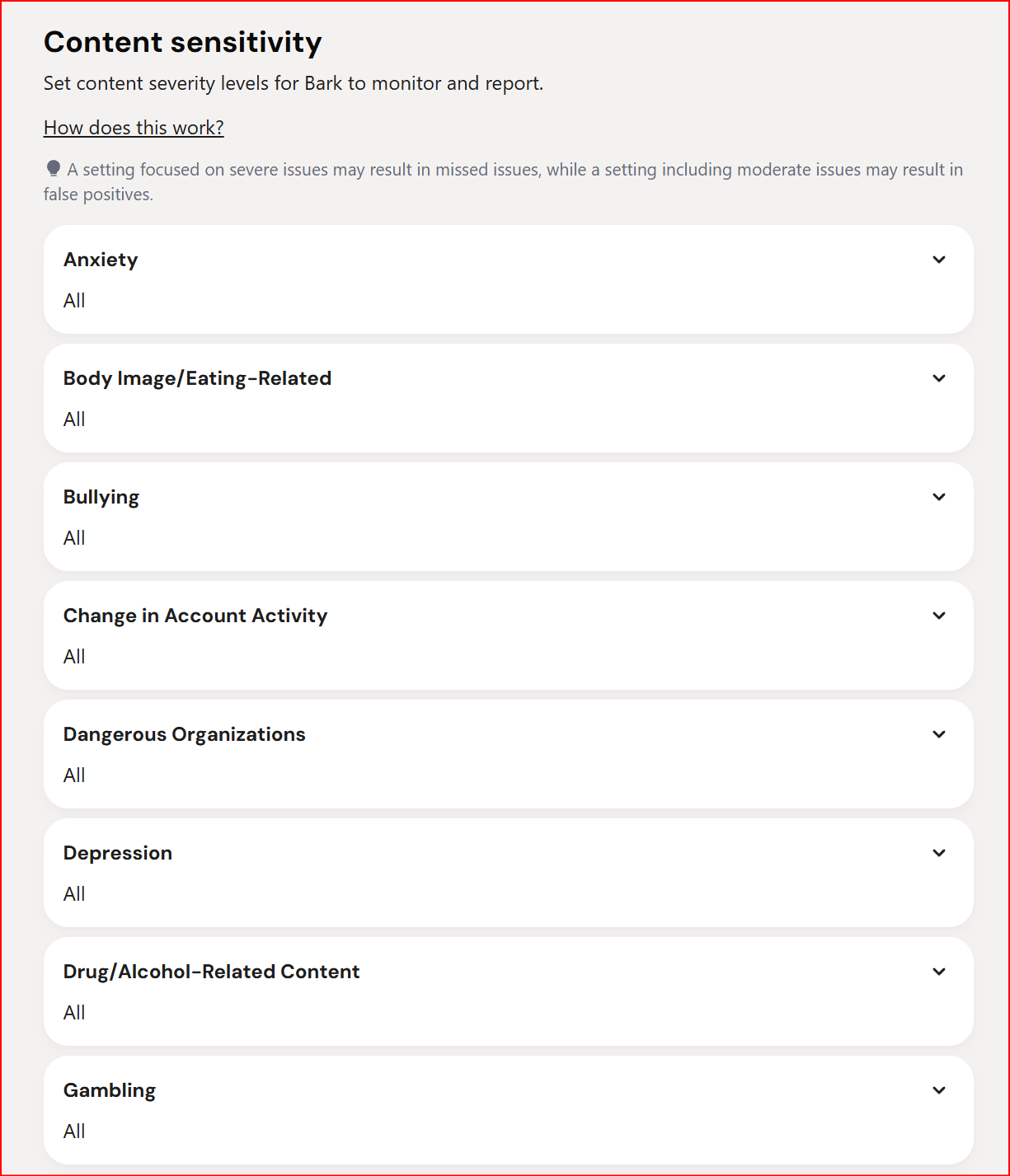
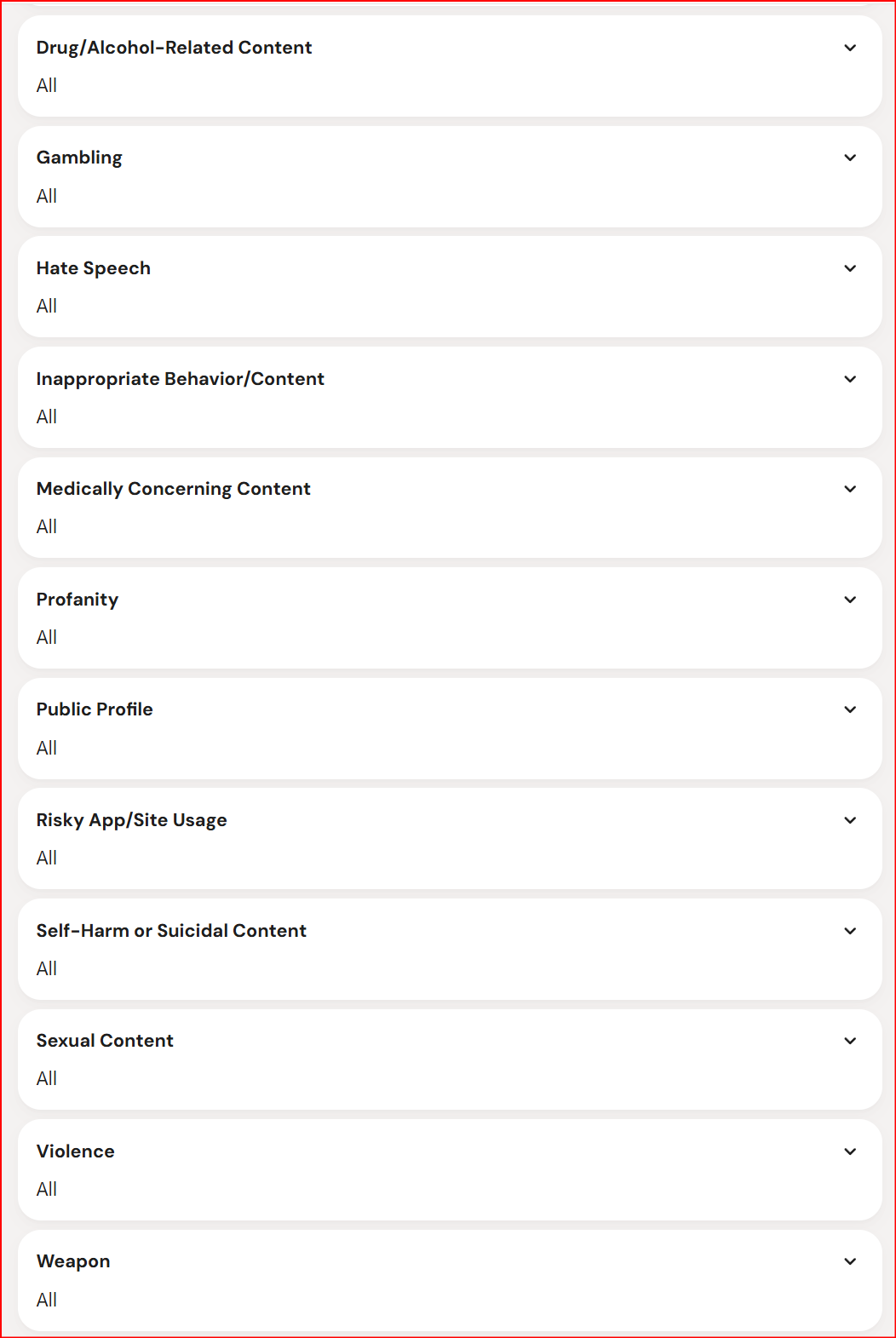
Bark provides a long list of content categories, but Risky Contacts is not included.
There is no setting for the noisiest false alert
Risky Contacts was the highest-volume false alert in my account.
It is also missing from Bark's Content sensitivity list.
That means the screen Bark directs parents to when they want fewer alerts cannot control the alert type that created the most noise for me.
I could not reduce the repeated risky-contact alerts, change when they were considered critical, or tell Bark that an ordinary group-chat participant was not automatically dangerous.
Some controls are simply All or None
For Medically Concerning Content, the available choices shown in my account were:
- All
- None
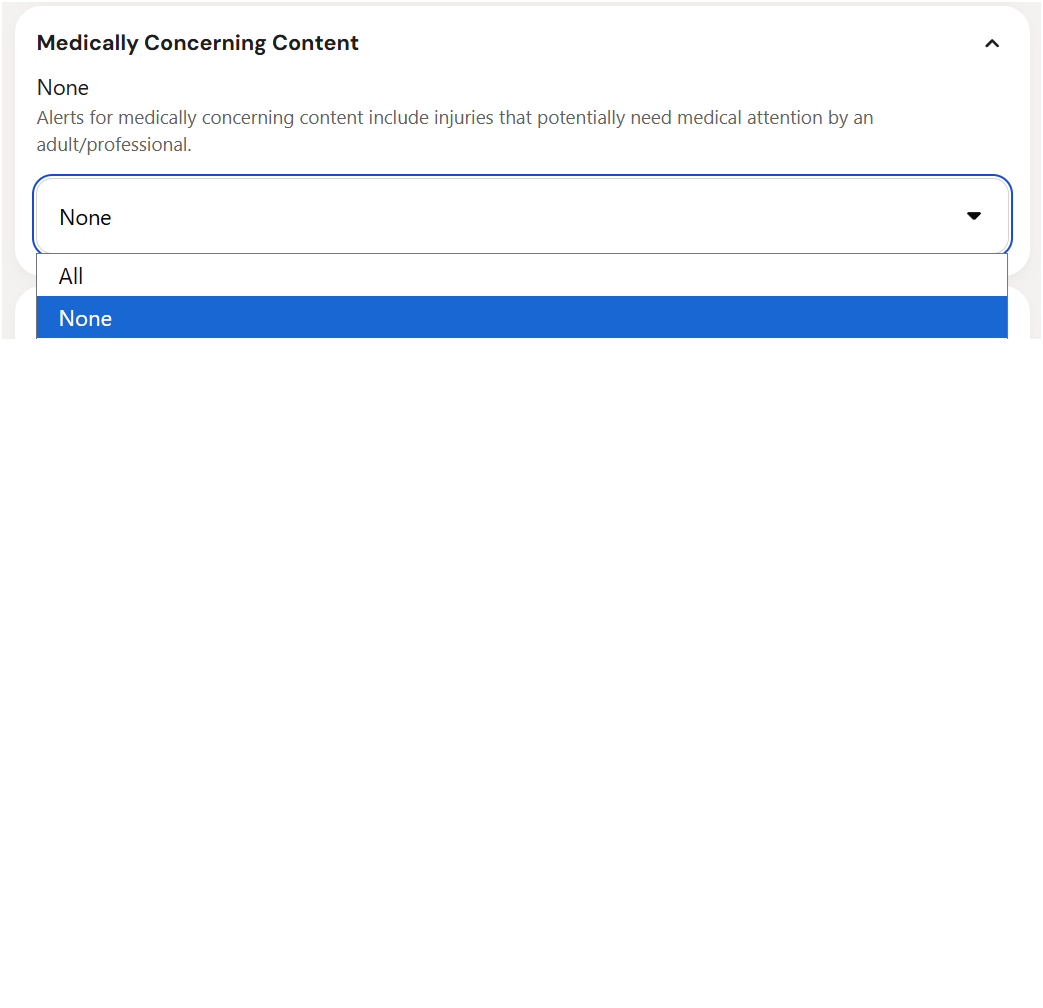
For Medically Concerning Content, Bark gave me an All-or-None choice.
That is not meaningful sensitivity control.
It does not let me ask Bark to ignore routine sports injuries while still alerting me to hidden self-harm, a medical emergency, or a dangerous pattern. It does not change how Bark interprets the conversation.
The choice is to accept every alert Bark puts into that category or disable the category completely.
That leaves parents choosing between false positives and blind spots.
I did not want fewer alerts. I wanted better alerts
Bark frames the problem as alert volume.
That was not my complaint.
I wanted Bark to stop classifying ordinary conversations incorrectly. I wanted it to understand context, repetition, relationships, and whether a situation actually appeared to require a parent's attention.
The settings screen cannot fix that problem because it does not improve the interpretation behind the alert.
It filters which categories or severity levels get reported. It does not make a bad classification accurate.
Bark support sent me in circles
I opened a support ticket with a very specific subject:
Too many critical alerts for risky contacts
The question was straightforward. Why was Bark repeatedly classifying ordinary, unsaved group-chat participants as critical risky contacts, and how could I stop it?
The first substantive advice was to adjust Bark's sensitivity settings.
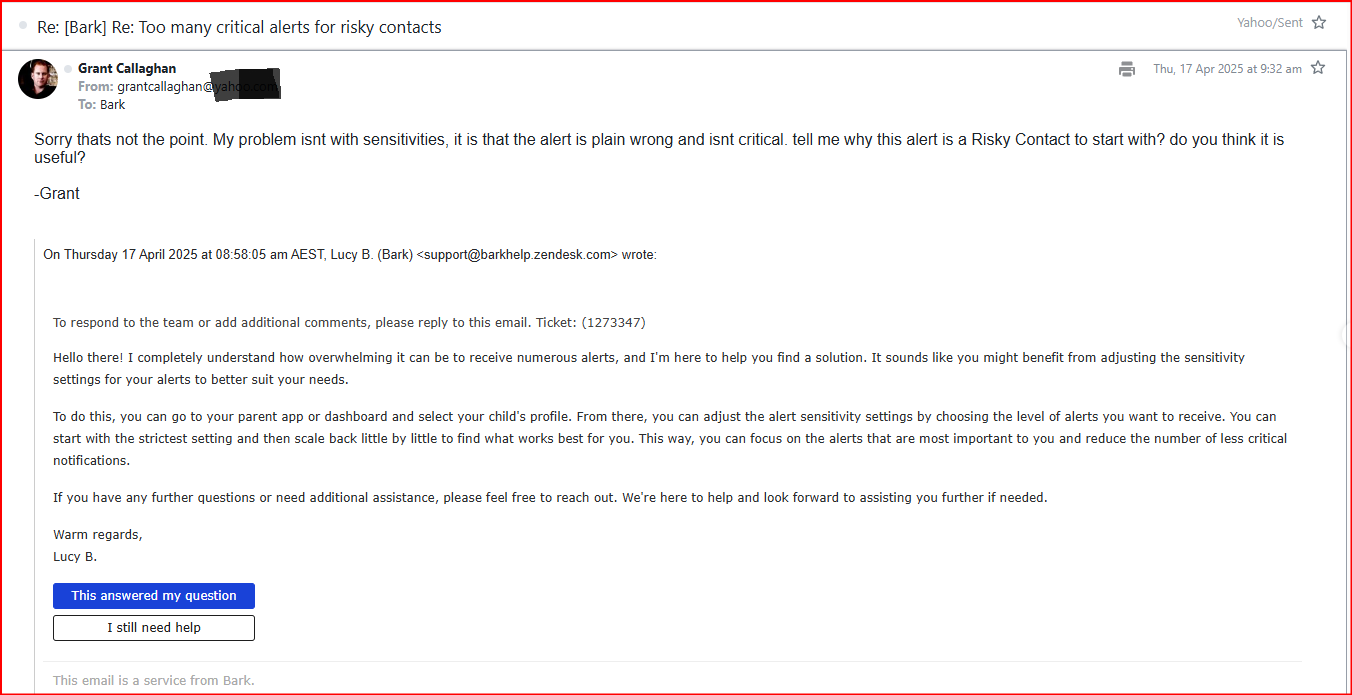
I explained that the problem was not sensitivity. The alert itself was wrong, and Risky Contacts did not have a sensitivity control.
I replied:
My problem isn't with sensitivities. It is that the alert is plain wrong and isn't critical. Tell me why this alert is a risky contact to start with. Do you think it is useful?
Bark did not answer those questions.
Instead, support asked me to locate one or two individual alert URLs so the team could investigate.
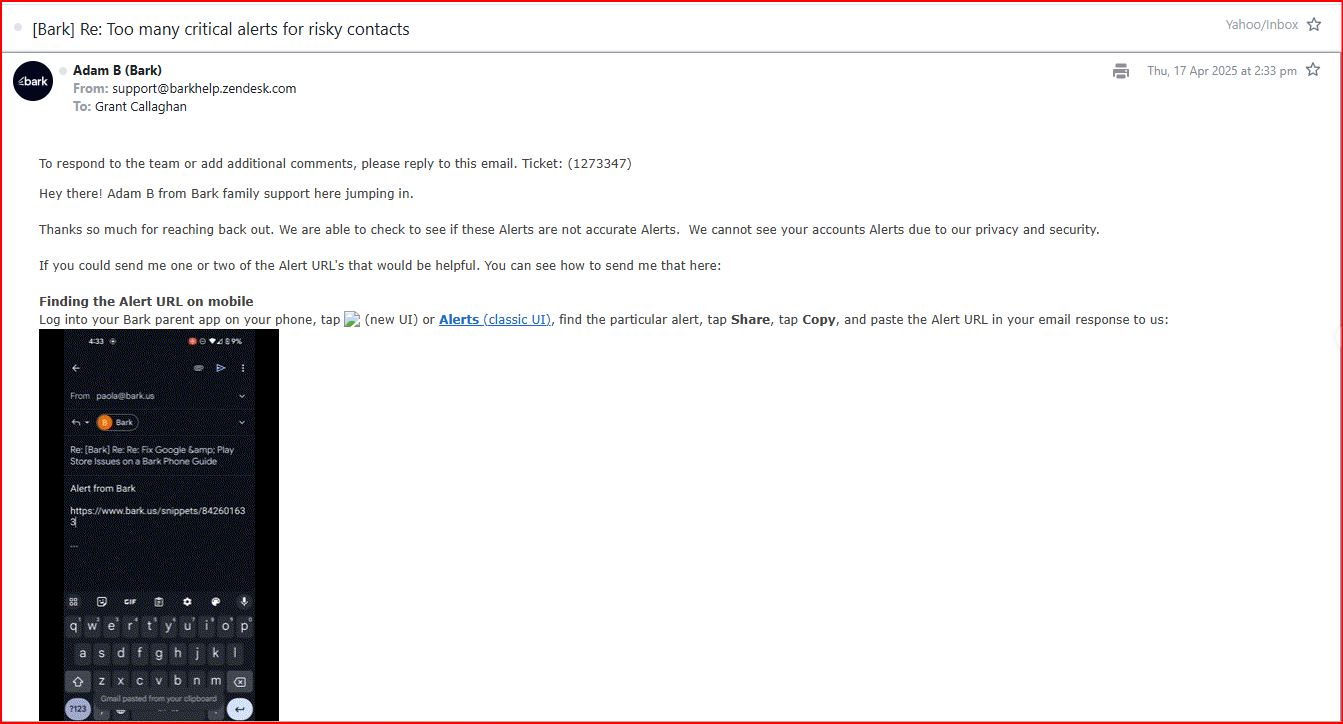
Bark said an individual alert URL would allow the team to investigate and provide a detailed explanation.
I followed the instructions and supplied an alert URL.
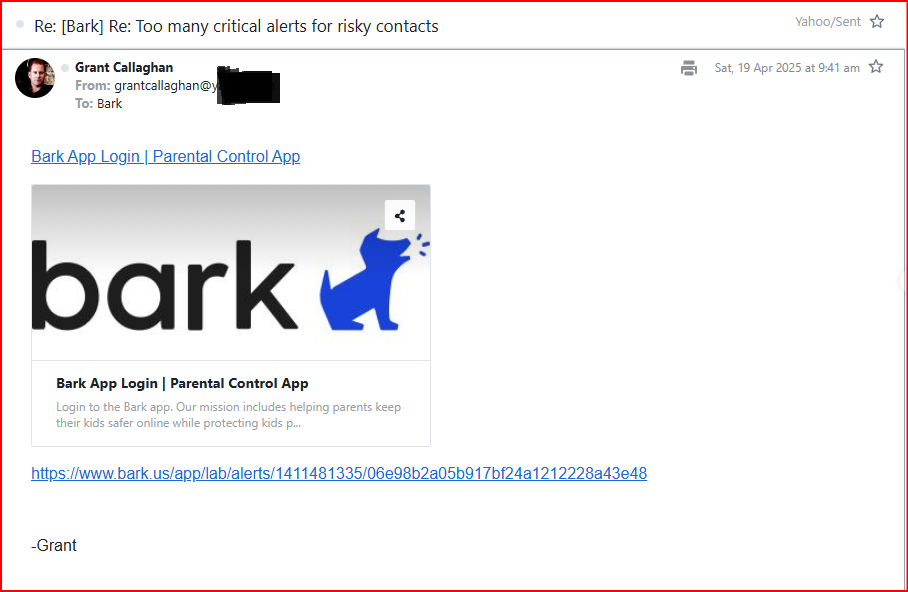
I completed the troubleshooting step Bark requested.
The detailed explanation never arrived.
Another support agent later acknowledged that an earlier response had not addressed my concerns. Bark then said its algorithm can miss the mark and tends to issue an alert and flag its importance when it is unsure.
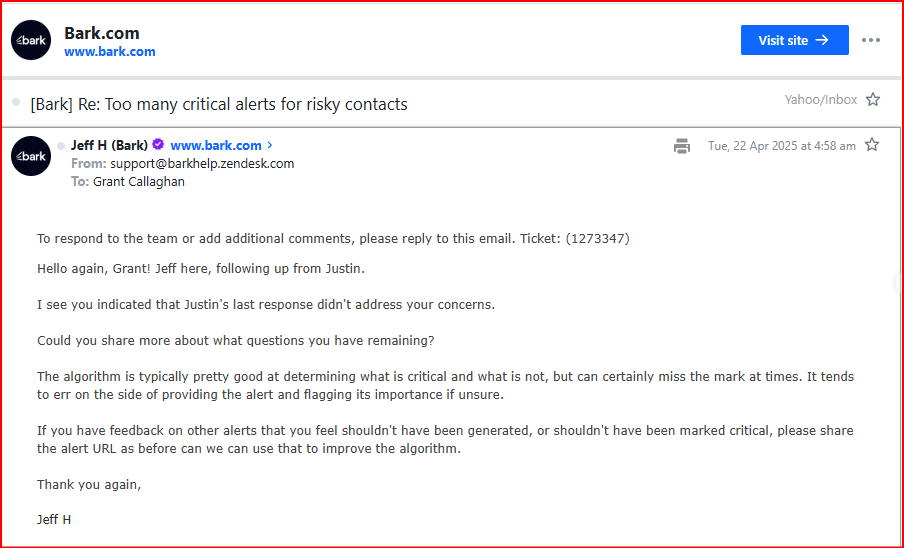
Bark acknowledged that the algorithm can miss the mark and may flag an alert as important when it is unsure.
That helps explain the alert flood, but it does not solve it.
If algorithmic uncertainty becomes a critical alert, the uncertainty is passed directly to the parent as alarm. The parent then has to investigate whether anything is actually wrong.
Support asked me to send more examples that should not have been generated or marked critical so Bark could use them to improve the algorithm.
In other words, after receiving bad alerts, I was being asked to identify, document, locate, and submit those alerts back to Bark.
The work was pushed onto me again.
Across several replies, nobody gave me a practical answer to the core questions:
- Why was an unsaved group-chat participant treated as risky?
- Why was each alert marked critical?
- Could Bark recognize that the people belonged to an ordinary group chat?
- Could I stop repeated Risky Contact alerts?
- Why was Risky Contacts absent from the sensitivity settings?
- What did Bark find after I supplied the requested alert URL?
I received responses, but I did not receive a resolution. There was no proactive follow-up explaining what Bark found, and the alert behavior did not change.
What a useful safety alert should do
A useful alert should do more than attach a serious category to a word or isolated message.
It should help a parent understand:
- what happened
- who was involved
- whether the behavior is repeated
- whether the tone or pressure is escalating
- what context made the interaction concerning
- whether there is enough evidence to justify stepping in
Parents do not need more notifications to investigate. They need better information for making calm decisions.
My takeaway
The false alerts were not an occasional inconvenience. They were a pattern that made Bark harder to trust.
When the phone was not scanning, I had no current visibility. When it did scan, Bark often produced alerts that were wrong, repetitive, or missing the context needed to make them useful.
Then Bark directed me to sensitivity settings that could not control the highest-volume false alert and sometimes offered only an All-or-None choice. When I contacted support, I supplied the example Bark requested but never received a solution or detailed explanation.
My advice to parents using Bark is simple: judge the quality of the alerts, not the quantity.
Ask:
- Was this alert accurate?
- Did it show enough context?
- Did it help me make a better parenting decision?
- Did Bark learn from repeated false positives?
- Can I meaningfully control this alert type?
If the answer is no, the alert is not reducing the burden on parents. It is moving the burden back onto them.